
Apple Introduces New Emojis in iOS 26.4 — Here’s the Full List and What They Mean
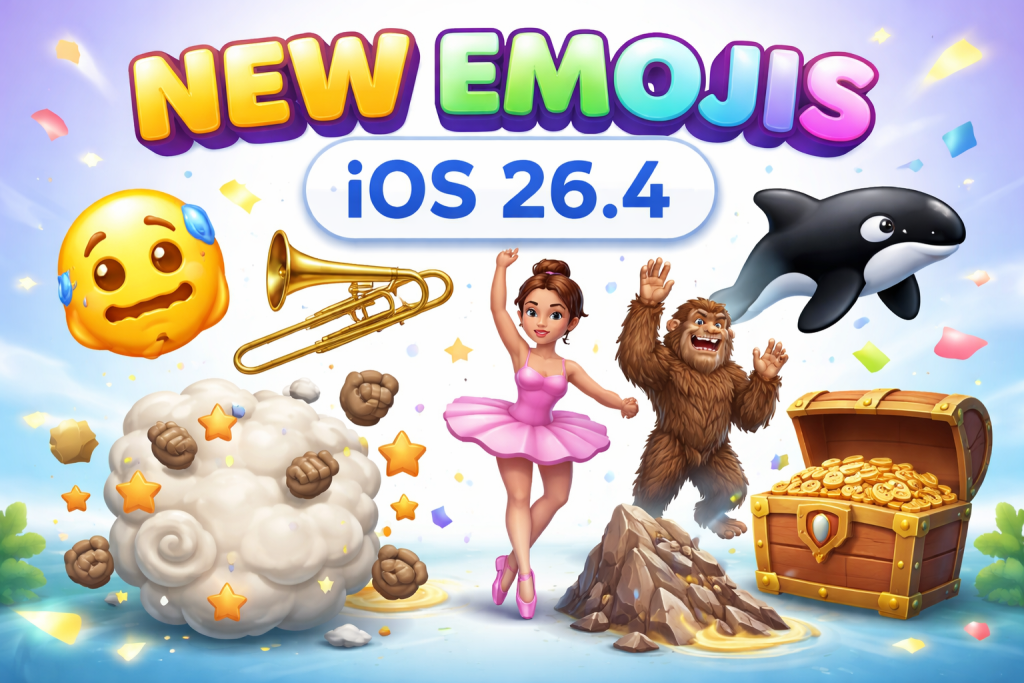
Apple has officially rolled out iOS 26.4, bringing a fresh batch of new emojis that add more personality, humor, and expression to everyday conversations. The update introduces several creative designs, including expressive faces, animals, objects, and fun symbols that users are already excited to try. The new emoji additions are part of Apple’s ongoing effort to keep communication fun, inclusive, and visually engaging across its devices. New Emojis in iOS 26.4 With the release of iOS 26.4, Apple has added 8 brand-new emojis, along with multiple skin-tone and style variations.
Distorted Face — A funny and exaggerated expression showing stress, confusion, or awkward humor Fight Cloud — A comic-style dust cloud representing a playful fight or chaos Ballet Dancer — A graceful dancer emoji available with multiple skin tones Orca — A detailed killer whale emoji for ocean and wildlife lovers Hairy Creature — A Bigfoot-style mythical character Trombone — A musical instrument emoji popular among band enthusiasts Landslide — A natural disaster symbol representing falling rocks Treasure Chest — A fun symbol often used for adventure, rewards, or hidden surprises
Why Apple Keeps Adding New Emojis Emoji updates are part of Apple’s regular software improvements. The company follows global emoji standards to ensure compatibility across platforms and messaging services. New emojis are typically designed to: Improve digital expression Reflect cultural diversity Represent new activities and objects Add humor and creativity to conversations The inclusion of characters like the Hairy Creature and Fight Cloud shows Apple’s focus on playful, modern communication styles. Most Talked-About Emoji So Far Among the new additions, the Distorted Face emoji is quickly becoming a
favorite. Users are expected to use it widely to represent: Stress or anxiety Awkward moments Funny reactions Emotional overwhelm Its exaggerated design makes it one of the most relatable emojis in recent updates. When Users Can Access the New Emojis The new emojis are available to users who update their devices to iOS 26.4 or later. To get the latest emojis: Open Settings Tap General Select Software Update Install iOS 26.4 Once installed, the new emojis will appear in the emoji keyboard across supported apps like messaging, social media, and email. Emoji Updates Continue to Grow Worldwide Emoji
usage continues to grow globally, becoming a key part of digital communication. Apple regularly works with international emoji design standards to ensure new emojis work across multiple platforms and devices. Each update reflects evolving communication trends, making conversations more visual and expressive. With the release of iOS 26.4, Apple once again proves that even small visual additions like emojis can significantly enhance how people communicate online.